
It’s defintely not new news that AOL has given up on the excessive monthly fee that they charged their customers with for so long to compete with other free services such as Microsoft’s Windows Live service, Yahoo!, or even Google. Because of this I decided to give AOL a try. Just to feed my curiosity.
As I loyally use a Apple PowerBook G4 with Mac OS X 10.4.8 on it, the first thing I did was download AOL’s software for Mac OS X. My first impression wasn’t terrible. AOL certainly had their own flavor of Apple’s Aqua interface and it was fairly intuitive to use. After signing up for an account however, I quickly found what it was lacking. I am not sure how long it has been since AOL last updated their software client for Mac OS X, but it has definitely been a few years. The Gecko-based browser was probably decent for its time, however, it couldn’t even the MySpace homepage correctly, much less AOL’s own website. It certainly couldn’t even begin to compare with Apple’s own Safari or with Mozilla’s Firefox.
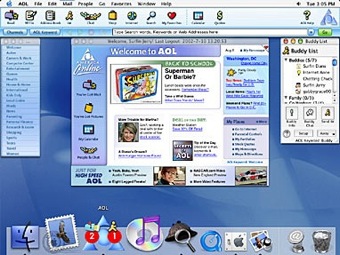
But why should I go on about old software? The gist of the story is that I quickly stopped using it. I then decided I would try out AOL’s software on my Windows XP computer. This was a mistake if I have ever made one.
The first piece of software I installed on my Windows PC was AOL’s America Online 9.0 Security Edition software. Again, my recommendation is do not install this. It of course installed a huge barrage of software that was quite unwelcome such as the the AOL security center software, among others. The security center software includes an AOL version of the McAfee virus scanner and an anti-spam client for free with the AOL software. Sounds like a good deal, right? It might have been if it didn’t slow my computer down to a grinding halt.
I shouldn’t put the blame primarily on the security center. When I installed AOL, the program put an icon in my Windows taskbar so I could quickly open AOL whenever I wanted to. This takes memory. And apparently it takes a lot of memory. My PC has a 1 GB stick of RAM and has a 2 GHZ Intel Pentium IV in it. After installing the AOL software, it took me about 10-15 minutes just to log into Windows XP and then another 5-10 minutes before I was able to even click on the start menu.
I promptly uninstalled every little bit of AOL software I could find from the Add/Remove Programs utility in the Control Panel. AOL’s uninstall program, however, did not uninstall everything like it said it would. I ended up having to boot my computer into Safe Mode and deleting quite a few AOL files and applications that started up upon login into Windows XP by hand. My PC still has not fully recovered and it appears I am going to be forced to reinstall Windows XP.
I am afraid to even try AOL’s OpenRide software…
